Dashboard and Work Inbox
The dashboard is the starting point after logging in. It only represents areas that are unlocked in the workspace and for which the registered person has a read authorization.
Available cards
Depending on the product, module activation and role, the work inbox shows, among other things, the next appointment, current emails, open tasks, own tickets and the call history.
In addition, CRM metrics, objects, deals and brokerage book activities may appear.
How to work with the dashboard
- Open Dashboard in the main navigation.
- Check evidence of work due or overdue.
- Select the action of a card to open the full section.
- Update the respective department if data does not correspond to the expected status.
If a card is missing
Check in this order: product variant, workspace module, personal authorization and existing data. An empty area is partially displayed as a blank state; a non-activated area is hidden.
Purpose
The dashboard bundles due work and leads without detour to the responsible department.
Where to find it
Open Dashboard in the main navigation.
Requirements and permissions
The person must be registered. Visible cards depend on the product, unlocked modules and reading rights.
Step by step
- Check appointments, messages, tasks, tickets and calls for new or overdue entries.
- Open the action of the relevant card.
- Edit the record in the relevant module and then return to the dashboard.
- Reload the view if just made changes are not yet summarized.
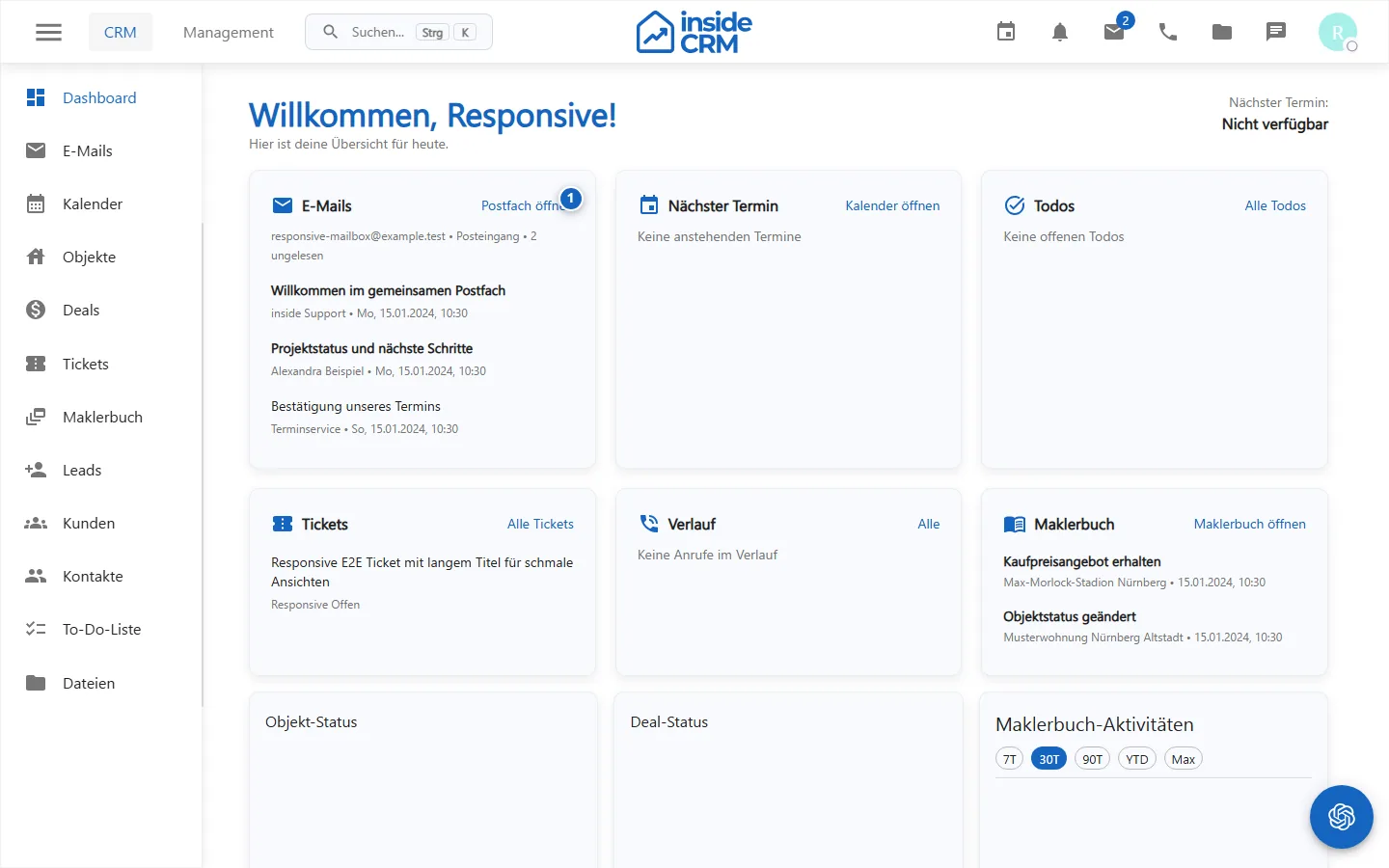
Result
The relevant work is open or complete. The dashboard reflects the updated status the next time it loads.
Variations and special cases
Empty cards do not automatically mean a disturbance. Modules that are not activated or not allowed are completely hidden.
Troubleshooting
If an expected card is missing, check module unlocking, role, personal rights and whether suitable data is available.