API and integrations
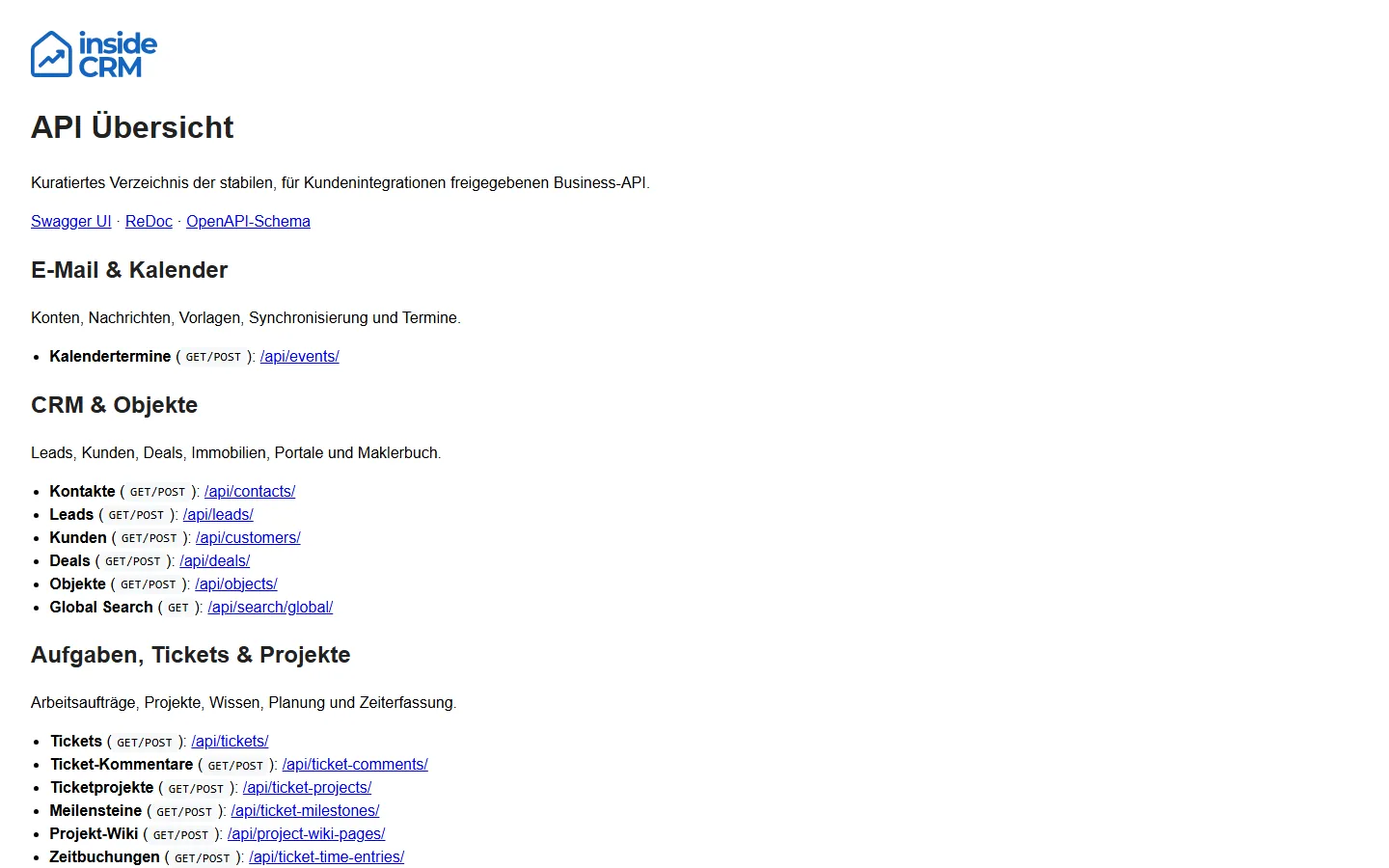
The API documentation describes the technical surface behind web, mobile and integration workflows. It is publicly readable; business endpoints remain protected by authentication, API keys, tenant context, capabilities and permissions.
Open the API documentation
| View | Address | Use |
|---|---|---|
| API overview | https://app.insidecrm.de/api/ | Find business areas and important endpoints quickly |
| Swagger UI | https://app.insidecrm.de/api/swagger/ | Inspect requests, parameters and responses interactively |
| ReDoc | https://app.insidecrm.de/api/redoc/ | Browse the public integration contract in a readable format |
| OpenAPI schema | https://app.insidecrm.de/api/schema/ | Generate clients, tests and external documentation |
Authentication and tenant context
- Use the existing session or the documented token endpoints for the web application.
- Use
X-API-KEYonly for explicitly approved business integrations. - Send requests to the app domain for the correct product and tenant.
- Check the capability and specific permission before write operations.
- Treat tokens, cookies, API keys and webhook secrets like passwords.
A successful login alone does not grant access to every tenant or module. Product, host, active membership, capability and role permission are evaluated separately.
Publicly supported resources
The public schema contains only explicitly approved business resources: contacts, tasks, tickets, projects, comments, wiki, time entries, calendar events, files, folders and global search, plus leads, customers, deals and properties in insideCRM. Internal UI, sign-in, administration, real-time and webhook endpoints are not a public integration contract.
curl --request GET \
  --url "https://TENANT-HOST/api/contacts/" \
  --header "Accept: application/json" \
  --header "X-API-KEY: API_KEY_PLACEHOLDER"
Use only pagination, cursor and filter parameters described by the current schema. Before retrying a write operation, inspect the response, object state and documented idempotency behaviour.
Backend feature groups
| Group | Examples |
|---|---|
| Platform and accounts | Bootstrap, destination selection, login, MFA, profiles, users and API keys |
| Communication | Mail accounts, messages, calendar, messenger, inbox, calls and meetings |
| Organisation | Tasks, tickets, projects, wiki, milestones and time entries |
| Content and security | Files, versions, shares, recycle bin, private vaults and team safes |
| CRM and real estate | Leads, customers, deals, properties, portals, brochures and brokerage log |
| Administration | Branding, workspace settings, custom fields, number series and licence data |
| Notifications and search | Events, delivery status, personal rules and global search |
The backend module inventory contains the complete customer-facing mapping with API route counts and support focus. Authorised administrators can use the complete internal schema at /api/internal/swagger/; it is not a public integration contract.
External integrations and webhooks
- Microsoft, Google and IMAP connect mail accounts and calendar data. OAuth callbacks must match the configured product domain.
- Microsoft and Google mail webhooks report changes that are then processed asynchronously.
- LiveKit transports internal calls and meetings. Its webhook keeps session, lobby and participant state current.
- Property portals receive object data and return status or enquiries. Credentials, property state and field mapping must agree.
- Brochure shares use expiring or revocable tokens and documented consent.
- Stripe processes payment methods, checkout, subscriptions and invoice events. Treat local state as confirmed only after the callback has been processed.
Recognise asynchronous processing
A successful request may only have accepted a job. This applies especially to mail synchronisation, sending, document indexing, portal synchronisation, notifications, reports and billing events.
For delayed results, check:
- HTTP status and business response of the initiating request.
- Request ID from the response or error page.
- The affected object's status field rather than only the visible list.
- Timestamp, timezone and latest successful synchronisation.
- Only then retry; repeated write requests can create duplicates.
Classify error responses
| Signal | Typical meaning | First check |
|---|---|---|
400 | Invalid input or business state | Required fields, format and dependencies |
401 | Authentication or token missing/expired | Refresh session; check system time and token source |
403 | Authenticated but not authorised | Product, tenant, capability and role permission |
404 | Path or object not visible in the current context | Host, ID, tenant and deletion state |
409 | Conflict with current state | Reload the object and inspect concurrent changes |
429 | Protection or rate limit active | Observe retry delay and stop request loops |
5xx | Server-side processing failed | Preserve request ID, time, path and status page |
Escalate safely
Provide product, full path without secret query values, timestamp with timezone, request ID, expected result, actual status code and a short reproducible sequence. Remove tokens, cookies, API keys, passwords, personal data and full payloads unless a protected support channel explicitly requests them.
See Troubleshooting and support diagnostics for more help.
Result
Integrators can find the current technical contract, support can assign an issue to the correct module, and protected calls remain access-controlled even though the documentation is publicly readable.