Managing customers
The overview requires contacts.read; creating and editing customers requires contacts.write.
Create customers
- Open Customers and choose New Customer.
- Provide at least first or last name.
- Add business-needed contact and address data.
- Maintain preferred language, source, notes and the applicable data protection information.
- Save and check the record in the overview.
Privacy fields include contact consent, GDPR status, retention date, and the date of a deletion request. Maintain this information only according to your approved process.
Overview and actions
The table is searchable and has configurable columns. Depending on permission, you can edit the customer, write an email, open deals or tickets and create new follow-up objects. Multiple selection enables ZIP download and mass deletion.
Purpose
Customer records bundle contact data, relationships and follow-up processes after lead qualification.
Where to find it
Open CRM → Customers; new data sets are created via New customer.
Requirements and permissions
Viewing requires contacts.read, creating, editing and multiple actions require contacts.write.
Step by step
- Search for existing customers before the new plant.
- Open a hit or create a new record with at least one name field.
- Maintain contact data, source, language, data protection information and technically necessary notes.
- Save and then use permitted email, deal, ticket or export actions.
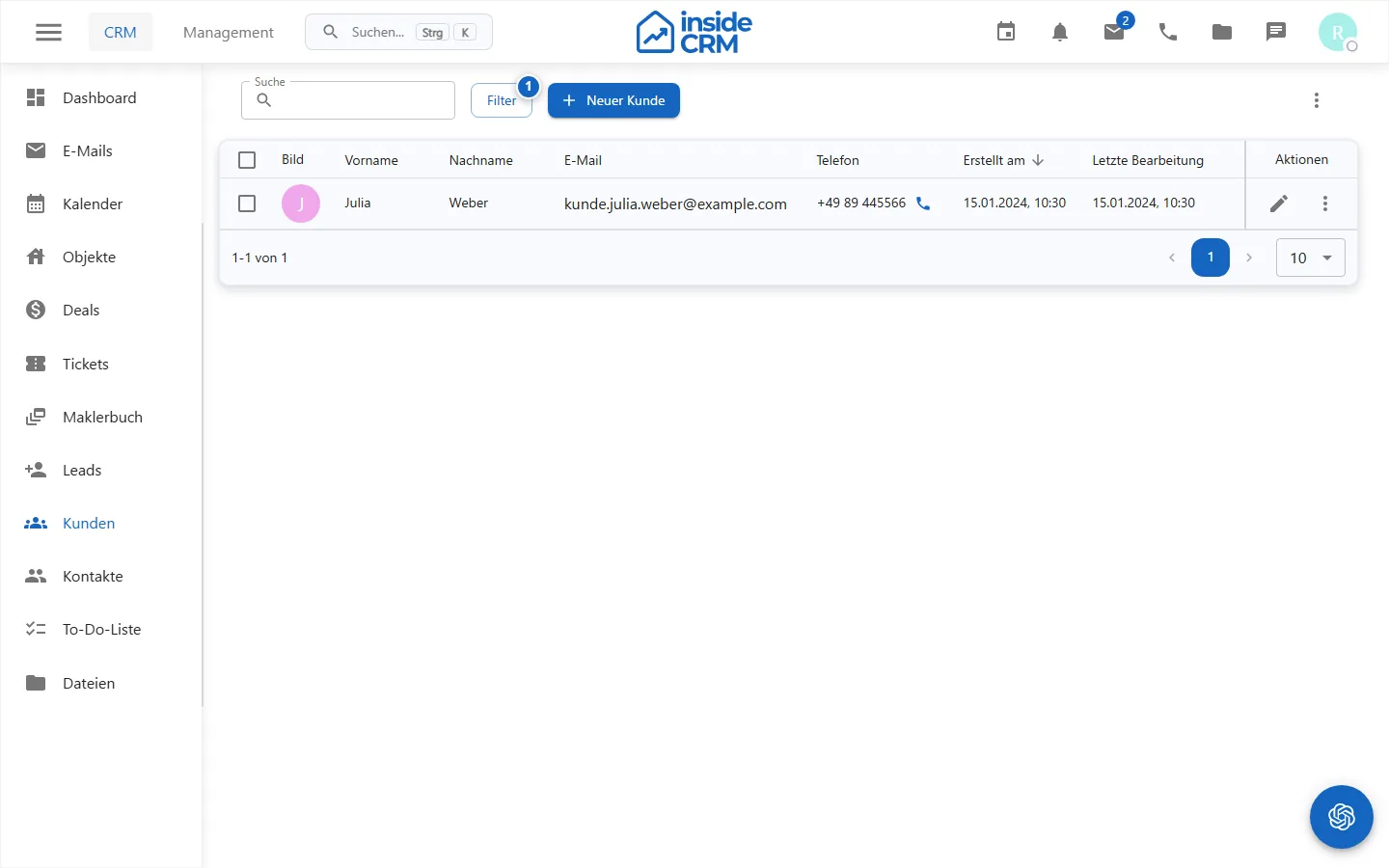
Result
The customer is stored and can be linked to communication, deals, tickets and other relationships.
Variations and special cases
ZIP download and mass deletion apply to all marked lines. Linked deals or retention rules can prevent deletion.
Troubleshooting
If records are missing, check filters and read permissions. For save errors, check required fields and validation messages.