Opportunities and Deals
The overview requires opportunities.read; creating and editing deals requires opportunities.write. Status management requires settings.manage.
Creating a deal
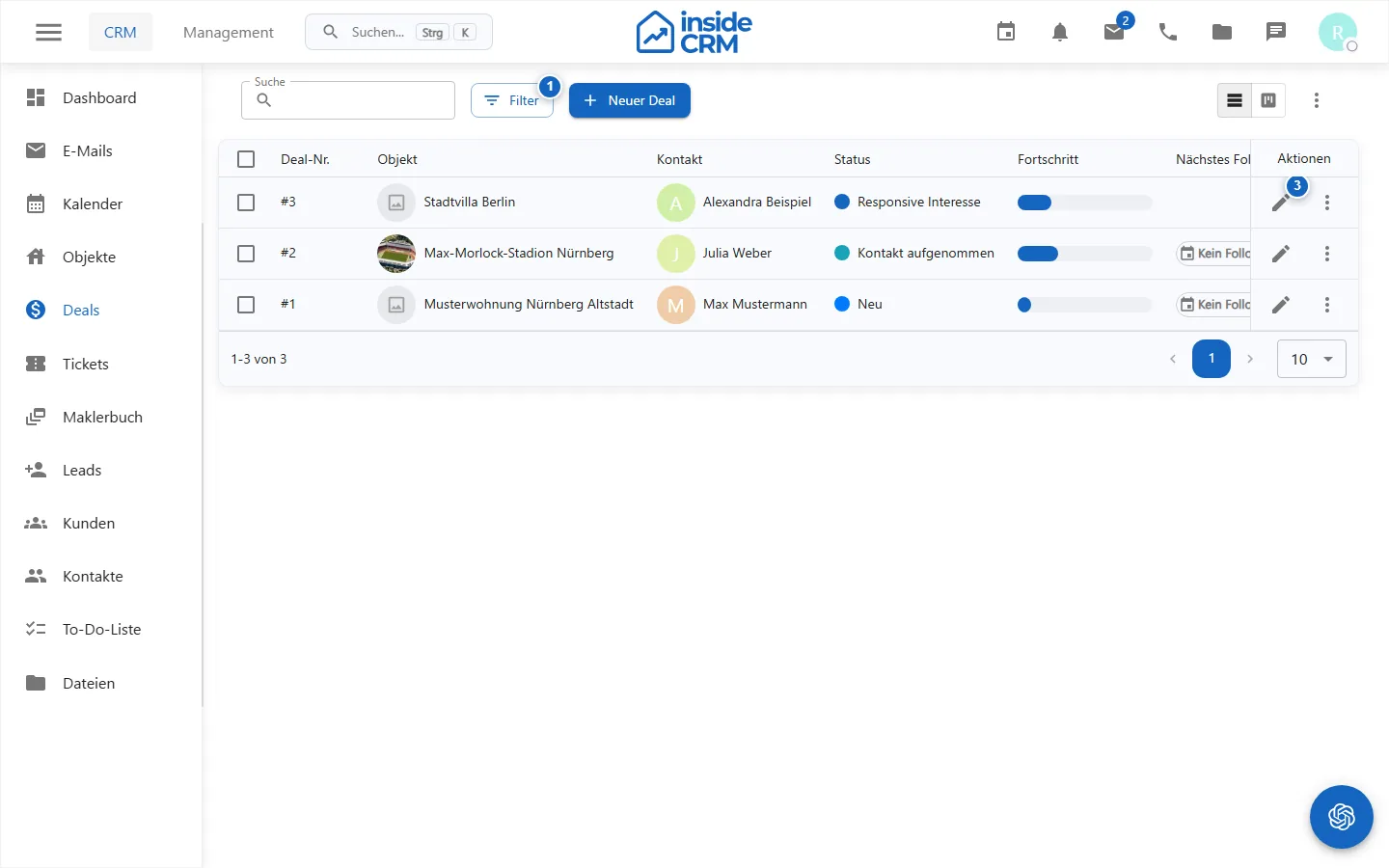
- Open Deals and choose New Deal.
- Choose an object as well as a lead or customer.
- Set a status and optionally the responsible person.
- Add date, price, probability of winning, next follow-up, next step and notes.
- Save the deal.
From the form, linked contacts and objects can be opened. If the object and contact are complete and an email address is available, exposé communication can also be offered.
Controlling the pipeline
Switch between table and pipeline views and filter by status or owner. Depending on the record, pipeline cards show number, value, progress, probability, and planned completion. Moving a card immediately changes the deal status, so check the confirmation afterwards.
Managing status
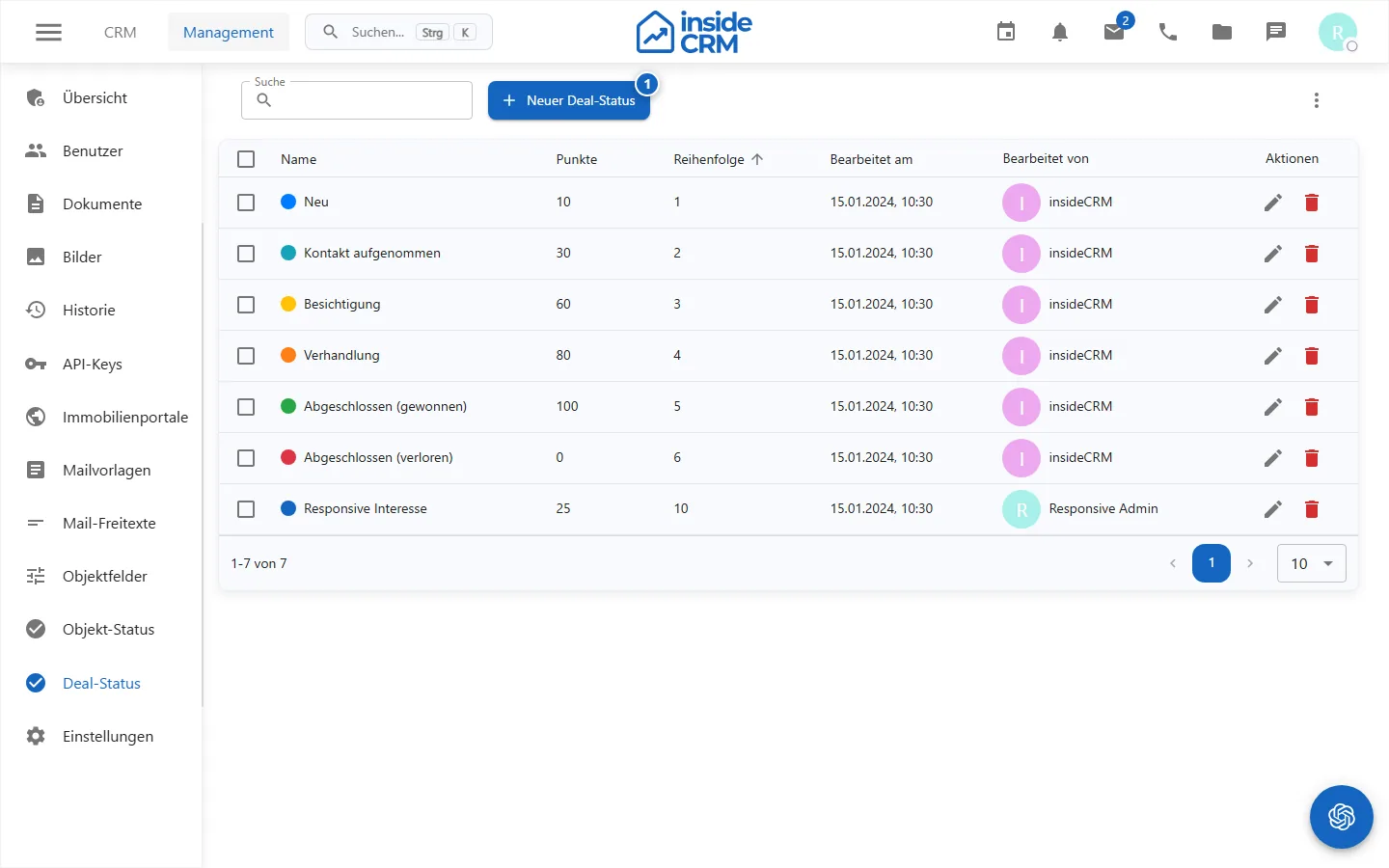
Administrators create status values in management or edit them. Before making any changes, check which existing deals and evaluations use the value.
Purpose
Deals represent sales opportunities, pipeline status, values, probabilities and next steps.
Where to find it
Open CRM → Deals; Status values are under Administration → Deal Status.
Requirements and permissions
opportunities.read allows the overview, opportunities.write allows the editing and settings.manage allows the status management.
Step by step
Manage deals
- Search or filter deals by status and owner.
- Open a deal or create it with object, contact, status and next step.
- Update value, probability, follow-up and planned completion.
- Move pipeline cards only after checking the target column.
Manage deal status
- Open status management and check existing values.
- Create or edit a status with a unique name and appropriate order.
- Check existing deals and evaluations after the change.
Result
Deals have a current status and clear next steps. Configured status values are available in forms and the pipeline.
Variations and special cases
Not every deal contains price or probability. Status changes through drag-and-drop are stored immediately.
Troubleshooting
Check permissions, required links, and the confirmation message. Reload the pipeline if a card does not appear updated after moving it.