Maintaining a brokerage book
The overview requires maklerbuch.read; new and changed entries require maklerbuch.write.
Add an entry
- Open Makerbook and select Create New Broker Book Entry.
- Select Link, Object Reference and Event Type.
- Complete the processor, contact, email or appointment, as far as this belongs to the event.
- Set the actual time and formulate title and description factually.
- Save the entry.
Supported events include price and status changes, sent or received emails, exposé views, and link views and downloads.
Search and evaluate
Filters by time period, subject, object, contact, event type or processor. The full view bundles object information, owners, prospects, visits, communication, marketing, costs and activity history, as far as relevant data is available.
Purpose
The brokerage book documents relevant real estate activities chronologically and technically comprehensible.
Where to find it
Open Real Estate → Brokerage Book.
Requirements and permissions
Advertisements require maklerbuch.read, manual entries require maklerbuch.write; personal content must be required and factual.
Step by step
- Search by object, contact, event, period or processor.
- Open an existing entry or start a permitted manual entry.
- Select subject, event type, and shortcuts and formulate a factual note.
- Save and verify the chronological order.
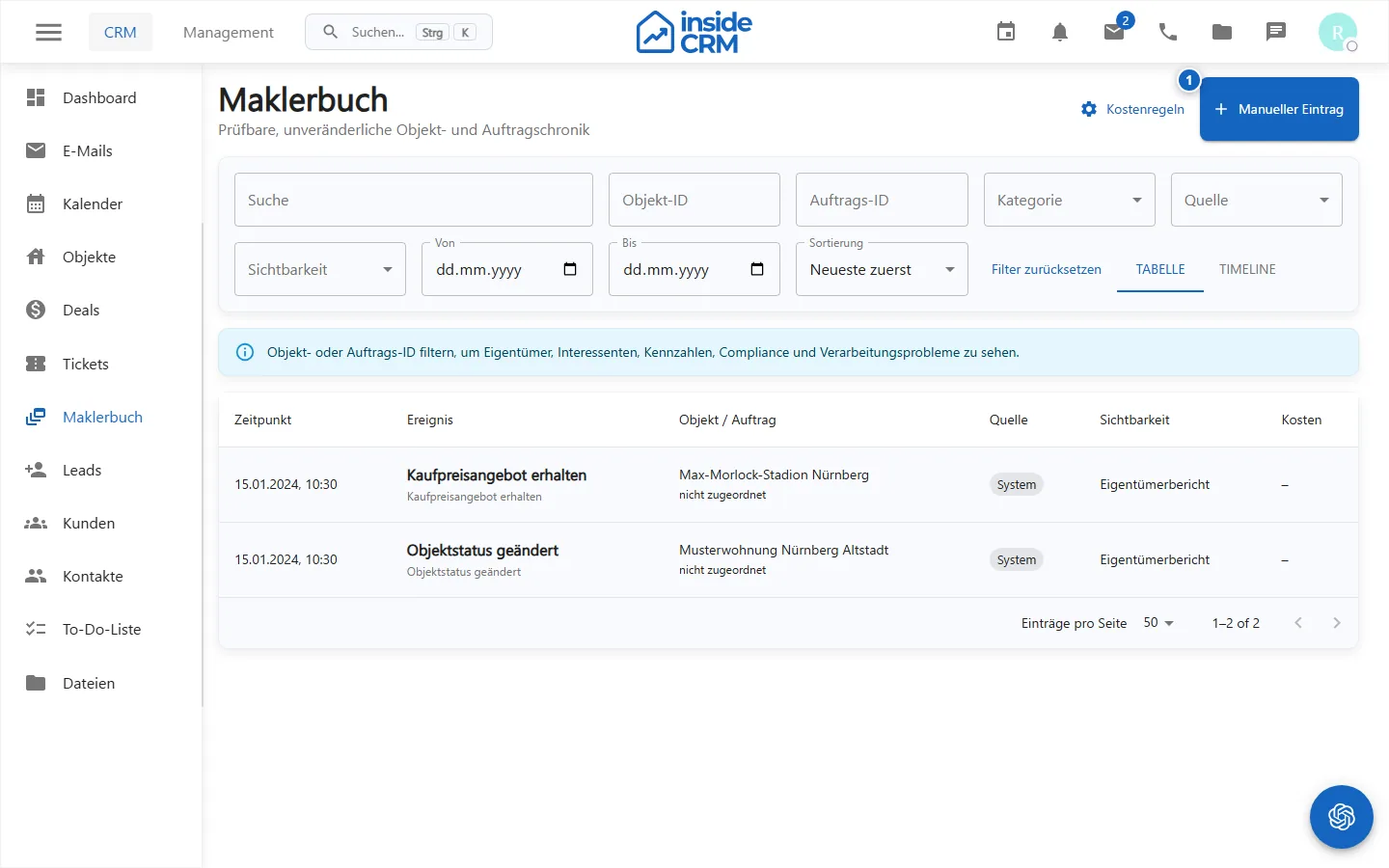
Result
The event is documented with time, processor and relevant relationships.
Variations and special cases
Some events are created automatically from communication, status changes, or exposé activity. Corrections must remain traceable.
Troubleshooting
Check time period, filters, reading rights, and linked records. Do not create a second entry until delayed automatic capture is excluded.